Previous cue
16:00 sound check, sample festival.
For event producers and stage managers
Crew Brief / Research concept
Post an event schedule change for the departments it affects. Crew Brief shows which departments have confirmed they read the latest version.
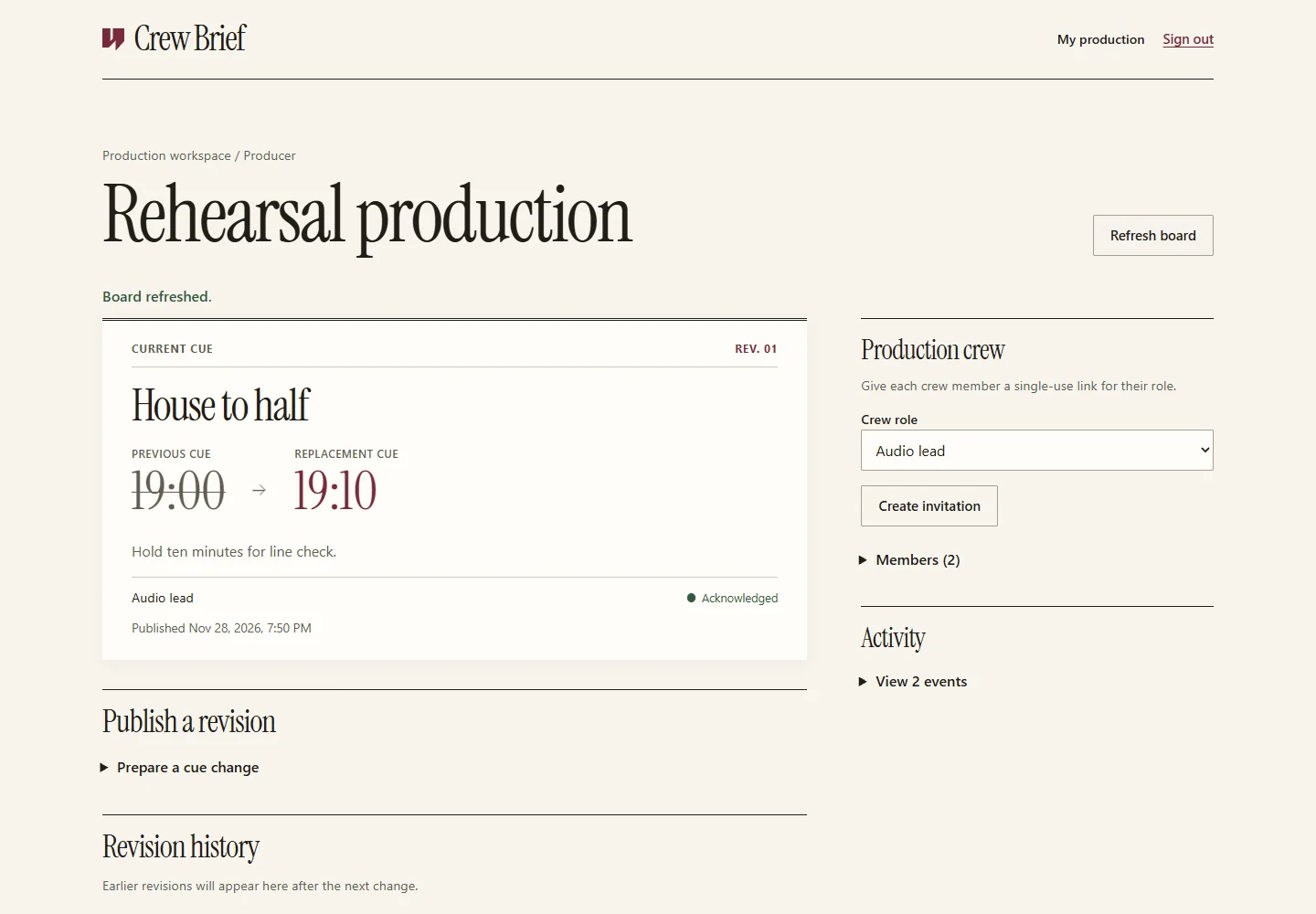
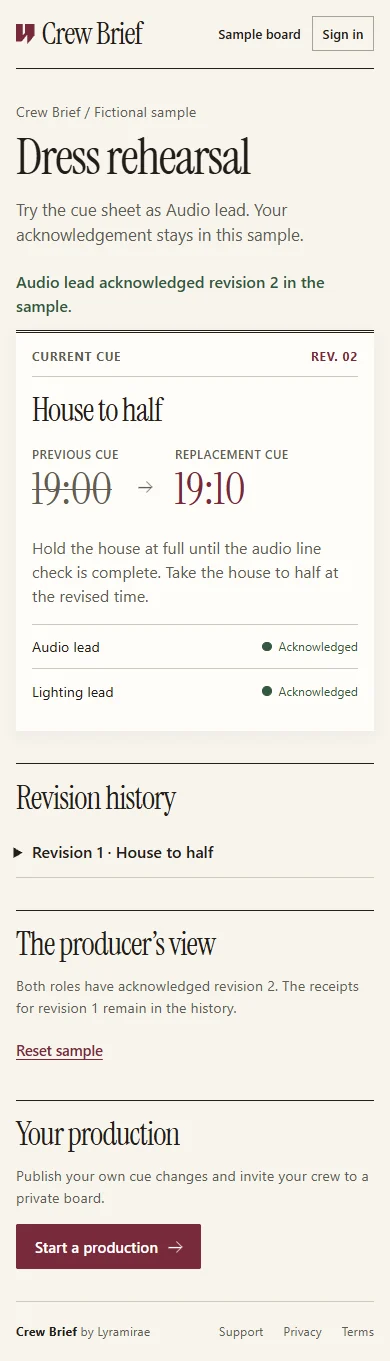
For example: House lights move from 19:00 to 19:10. Lighting has read the update; Audio hasn’t. If the time moves again, the new version gets new confirmations.
Try the free schedule-change exampleCrew Brief · Product walkthrough
Real app screenshots using fictional examples. Open a screenshot for a closer look.
No. A revision has its own acknowledgements. Use the production’s established urgent and safety channels; the public example does not send notifications.
Fictional example
16:00 sound check, sample festival.
16:20 sound check. Audio lead acknowledged revision 2; Lighting lead has not.
Your answer is checked on this page. It is not saved or sent. No uploads or contact details are accepted.
The running order is the sequence of things happening at an event. A cue tells a crew member when to do something, like start audio or bring the stage lights up.
Give people the old and new time or trigger, who is affected and what they need to do. Ask the affected roles to confirm the new version, not the old message.
Treat it as not confirmed. If it is urgent, use your agreed show communication channel and speak to the responsible person. The public preview sends no alerts.
Yes. Compare the fictional sound-check details above, then use the event running-order guide to draft a sample change of your own. No account is needed to view this page.