Next-cohort FAQ reset
Next-cohort FAQ checklist for course instructors
Teaching the same course again? Turn one recurring learner question into an answer the next cohort can find. Use your existing course platform and leave the old discussion behind.
Reset one FAQ before the next intake
- Pick a repeat question. Choose one you have answered at least twice. Write it in your own words instead of pasting the old thread.
- Make the answer stand alone. Remove learner names, submissions, screenshots, identifying dates and private links. Check that you have permission to share what remains.
- Preview as a learner. Choose which cohort should see the answer. Check the wording and any linked materials from that cohort’s learner view.
- Test whether someone can find it. Ask a colleague using fictional data to find the answer without a direct link. If it’s hard to find, use the words learners actually search for.
- Give it an owner and review date. Check it before the next intake. Remove guidance that no longer applies.
Fictional example
“Can I submit a draft for feedback?”
- Leave behind
- The former learner’s post, their draft and the old review thread.
- Keep
- “Yes. Post one PDF to the current cohort’s Draft Review area by the date in your syllabus. For individual circumstances, message the instructor privately.”
- Check
- Search the next cohort’s FAQ for “draft feedback”. Confirm learners can read the approved answer without seeing the previous discussion.
Try the same process with your next cohort
Use the worked example, a learner-only exercise and a blank review sheet in your existing course. No signup is needed.
Download the free next-cohort answer kit (PDF)See a reviewed answer in context
The Course Question Library research preview shows a different fictional question and how a reviewed answer appears. It is not a live course, a product account or a purchase.
Try the fictional walkthroughSee how the workflow looks
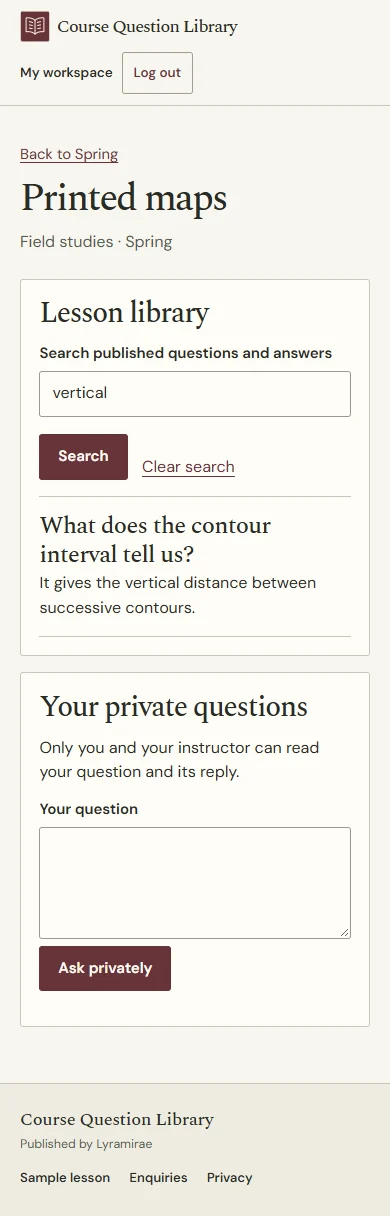
See the fictional app screenshots and the approved-answer workflow.
- How to ask permission to reuse a learner’s question
- How to write a course FAQ answer learners can find
- How to review last cohort’s FAQs before the next intake